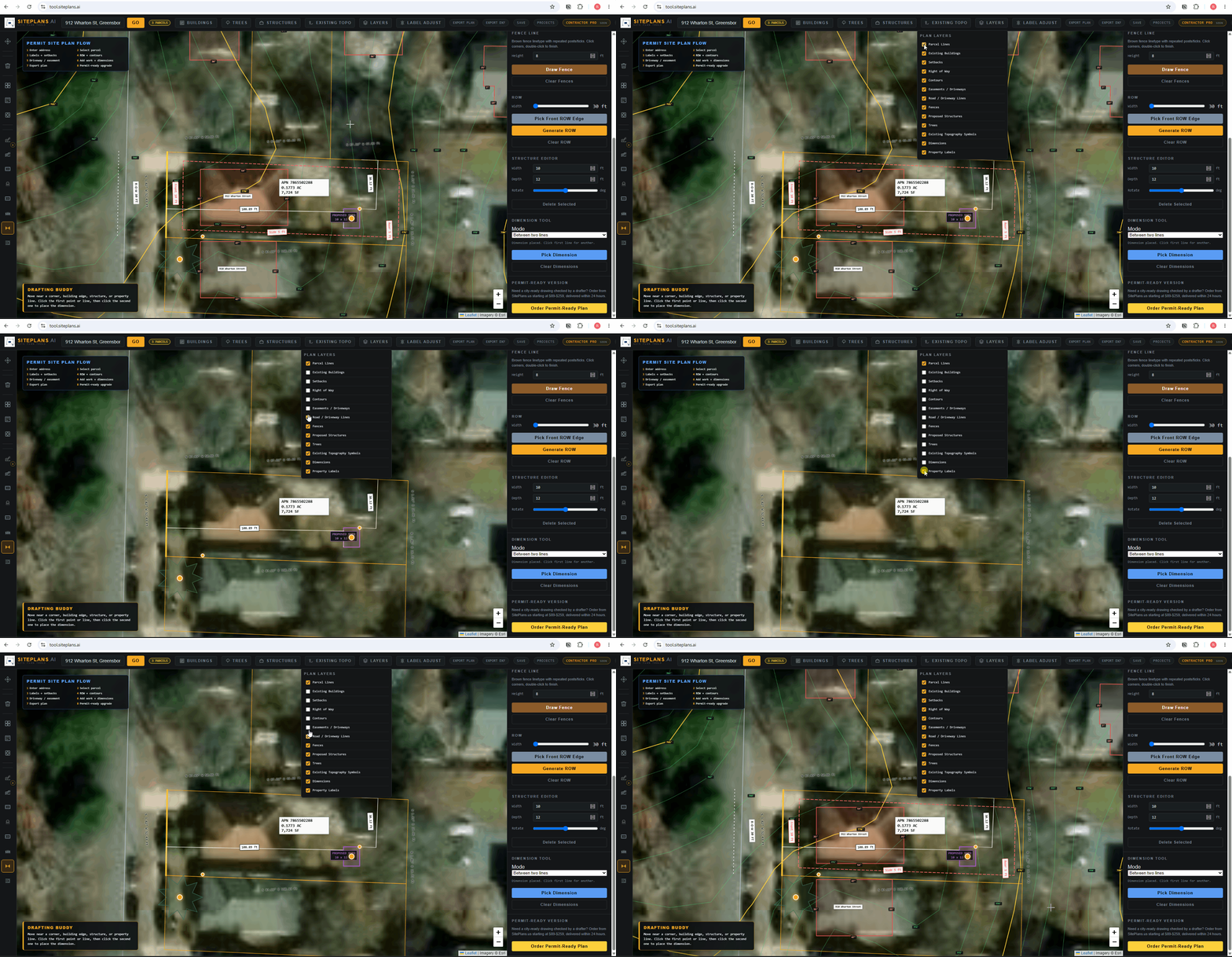
# How to Manage Layers
As you build out a site plan, it gets busy fast — property lines, contours, structures, dimensions, easements. Layers let you control what's visible without deleting anything you've built.
Quick Answer
Click Layers in the top toolbar and toggle any feature type on or off. Nothing you turn off is deleted — it's just hidden until you turn it back on.
Step-by-Step
1. Open the Layers panel from the top toolbar.
2. Review your layer list — contours, structures, dimensions, property lines, and other elements each appear as a toggle.
3. Turn off what's cluttering your view. For example, hide contour lines while you focus on placing structures.
4. Turn layers back on anytime — everything you've built stays exactly where you left it.
When to Use This
Any time you want to focus on one part of the plan without visual noise from everything else — placing a structure precisely, checking setback alignment without contour lines in the way, or reviewing your final layout element by element before export.
Common Mistakes
Assuming a hidden layer means the data is gone — it isn't. Turning a layer off is purely visual.
Forgetting to turn a layer back on before exporting — check your layer panel before you export to make sure everything you need is actually visible on the final PDF.
FAQ
Does turning off a layer delete it?
No — it only hides it from view. Turn it back on anytime and it's unchanged.
Will my exported PDF include hidden layers?
No — only visible layers appear in your export. Double-check your layer panel before exporting.
Can I control individual elements, or only full categories?
Layers work by feature type (structures, contours, dimensions, etc.), not individual elements within a category.
Related Tools
Start Here
Create My Site Plan — Need help? Get support from SitePlans.us →