Open the title sheet
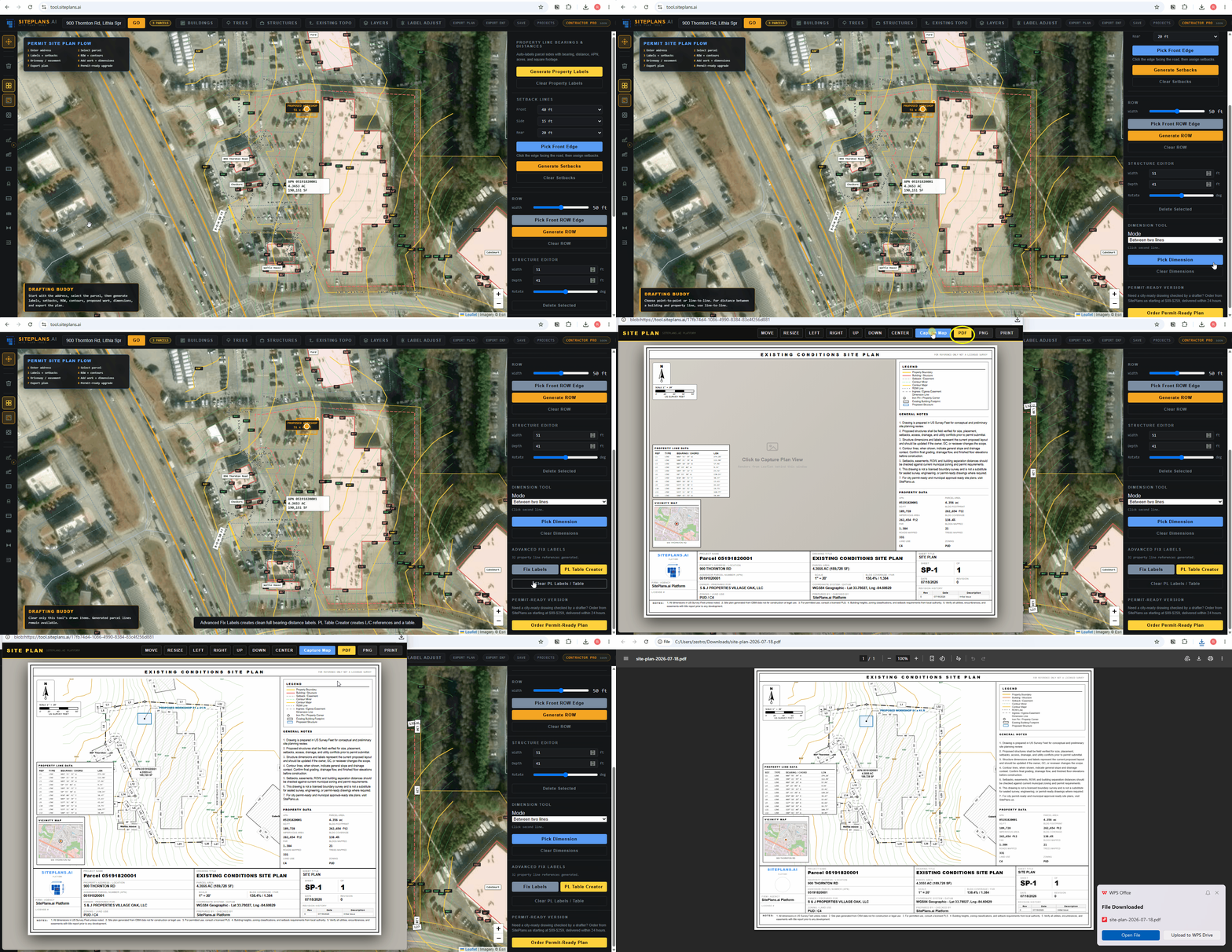
Use Export Plan or the title sheet button after the parcel and site features are set. The title sheet should show the drawing viewport, legend, notes, property data, and title block.
Before exporting, open the title sheet and make sure the parcel, labels, structures, and notes are readable.
Use Export Plan or the title sheet button after the parcel and site features are set. The title sheet should show the drawing viewport, legend, notes, property data, and title block.
Look for label clutter, missing structures, unreadable notes, wrong address text, or a parcel that is not centered. Fix those in the creator before exporting.
Export the PDF when the title sheet looks clean. If the city asks for a stricter permit-ready plan, use the SitePlans.us done-for-you option.