# How to Build a Title Sheet That Doesn't Get Rejected
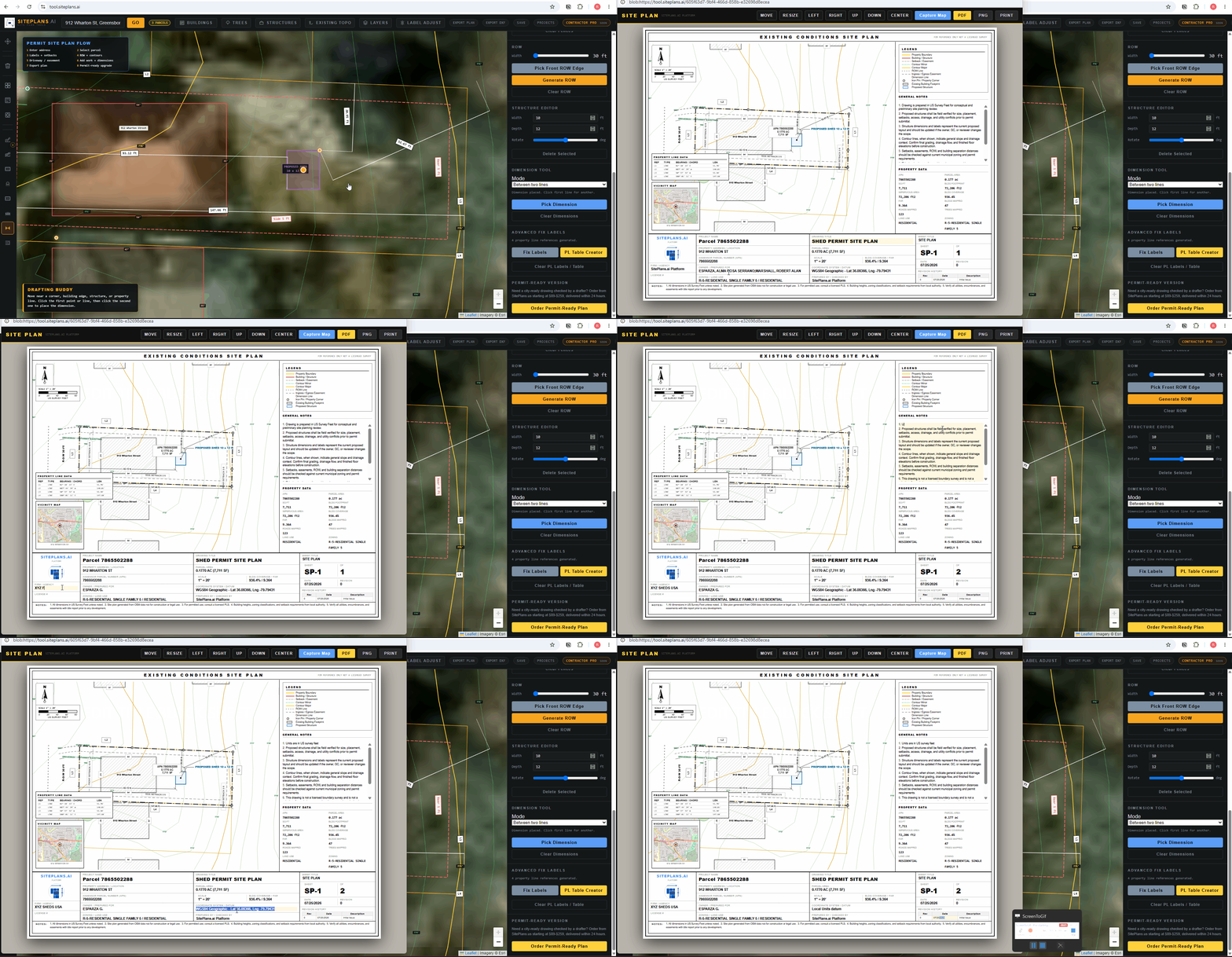
A missing or incomplete title block is one of the fastest ways a plan reviewer sends your submission back — regardless of how good the drawing itself is. SitePlans.ai auto-fills most of this for you. Here's what's automatic, and what you should add yourself.
Quick Answer
Your title block auto-populates with parcel data — APN, zoning code, land use, and the date. The address is usually pulled automatically too, printed directly on the house hatching. From there, the notes section and sheet title are yours to edit.
What's Already Filled In
- APN — the parcel identification number
- Zoning code
- Land use
- Date — pulled automatically
- Property address — for most properties, printed directly on the house hatches
You don't need to enter any of this manually. It comes straight from the same county parcel data that generates your property lines.
What You Should Edit
Sheet title. Rename this based on what you're submitting — "Existing Site Condition Site Plan" for a base drawing, or "Proposed Full Permit Site Plan" once you've added your project.
Notes section. This is where scope and requirement details belong — material specifications, construction notes, project description. If you're a contractor, this is also where fence height, deck material, or ADU unit type and inventory number should go, rather than cluttering the drawing itself.
Company details. Add your firm name, license number, and branding if you're on Contractor Pro.
Why This Matters More Than It Seems
Plan reviewers use the title block to orient themselves before looking at the drawing — address, scope, and date first, then the technical content. A blank or generic title block signals an incomplete submission even when the drawing itself is solid.
Common Mistakes
Leaving the sheet title as the default when it doesn't match what you're actually submitting.
Putting scope and material notes on the drawing itself instead of the notes section — it clutters the plan and makes the notes harder to find for a reviewer scanning quickly.
Skipping company branding on client-facing work — it costs nothing and makes the plan look like it came from a real firm.
FAQ
Do I need to manually enter the property address?
Usually not — it's pulled automatically for most properties. If it doesn't populate, check it against your address search results.
Can I move the title block itself?
Yes, along with the property line table and vicinity map — use the Move tool from the export screen.
What should go in the notes section as a contractor?
Material specs, construction notes, unit descriptions, inventory numbers if you're working from manufactured units — anything a reviewer needs beyond what's visually on the drawing.
Related Tools
Start Here
Create My Site Plan — Need help? Get support from SitePlans.us →