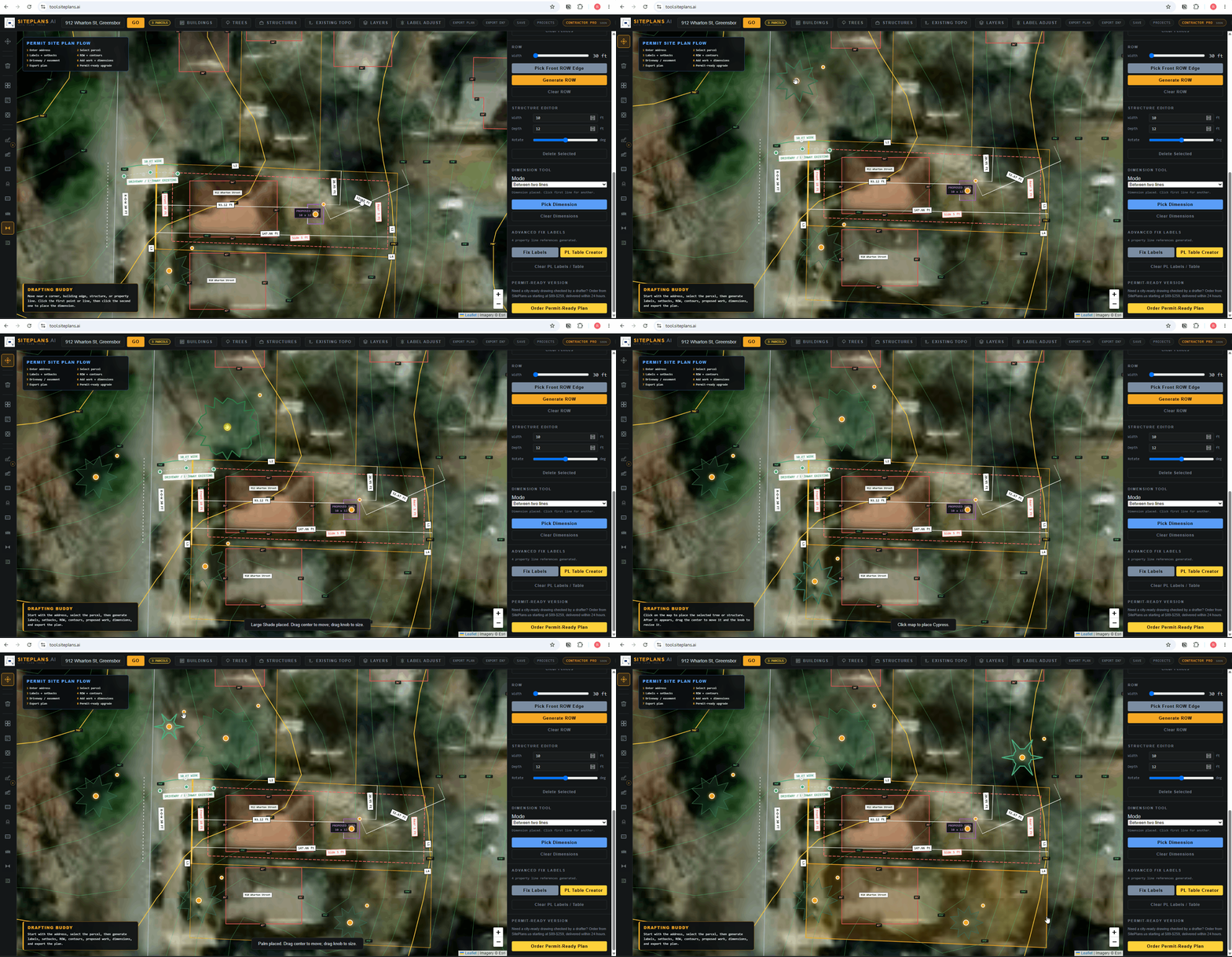
# How to Place a Tree
Trees are placed the same way as any structure — but they matter more than people expect on certain permits, especially where tree protection or removal documentation is required.
Quick Answer
Select the tree tool from the structures panel, place it outside the lot first, then drag it into its real position. Resize using the corner dot to reflect canopy size if that's relevant to your submission.
Step-by-Step
1. Select the tree tool from the structures panel.
2. Place it outside the lot first, then drag it into its actual position on the property.
3. Resize if needed using the corner dot — canopy size matters if your city requires tree protection documentation.
4. Clear and replace using the Clear Tree button in the right panel if placement needs adjusting.
When to Use This
Any project where existing trees matter to your permit review — some cities require a tree inventory showing species and trunk diameter for trees over a certain size, especially near proposed construction. Showing tree locations is also useful for your own planning, to avoid conflicts between a proposed structure and root zones.
Common Mistakes
Skipping tree documentation where your city requires it — several jurisdictions flag permits for missing tree inventory on qualifying projects, particularly larger additions or new construction.
Not distinguishing existing vs. proposed — if you're adding new landscaping as part of your project, note that distinctly from trees already on the property.
FAQ
Do I need to show every tree on my property?
Only if your city's checklist specifically requires a tree inventory — typically for trees over a certain diameter, and typically for larger projects. Check your local requirements.
Can I remove a tree I've placed?
Yes — use Clear Tree from the right panel.
Does this show root zones or just trunk location?
This places the tree location itself. If your city requires a protection zone radius shown, note that in your description field or consult your local requirements for the correct distance.
Related Tools
Start Here
Create My Site Plan — Need help? Get support from SitePlans.us →