# How to Clean Up Property Line Labels
Some lots have several points along what's really the same straight-ish direction — which means several separate bearing and distance labels crowd the same line. This tool combines them into one clean label.
Quick Answer
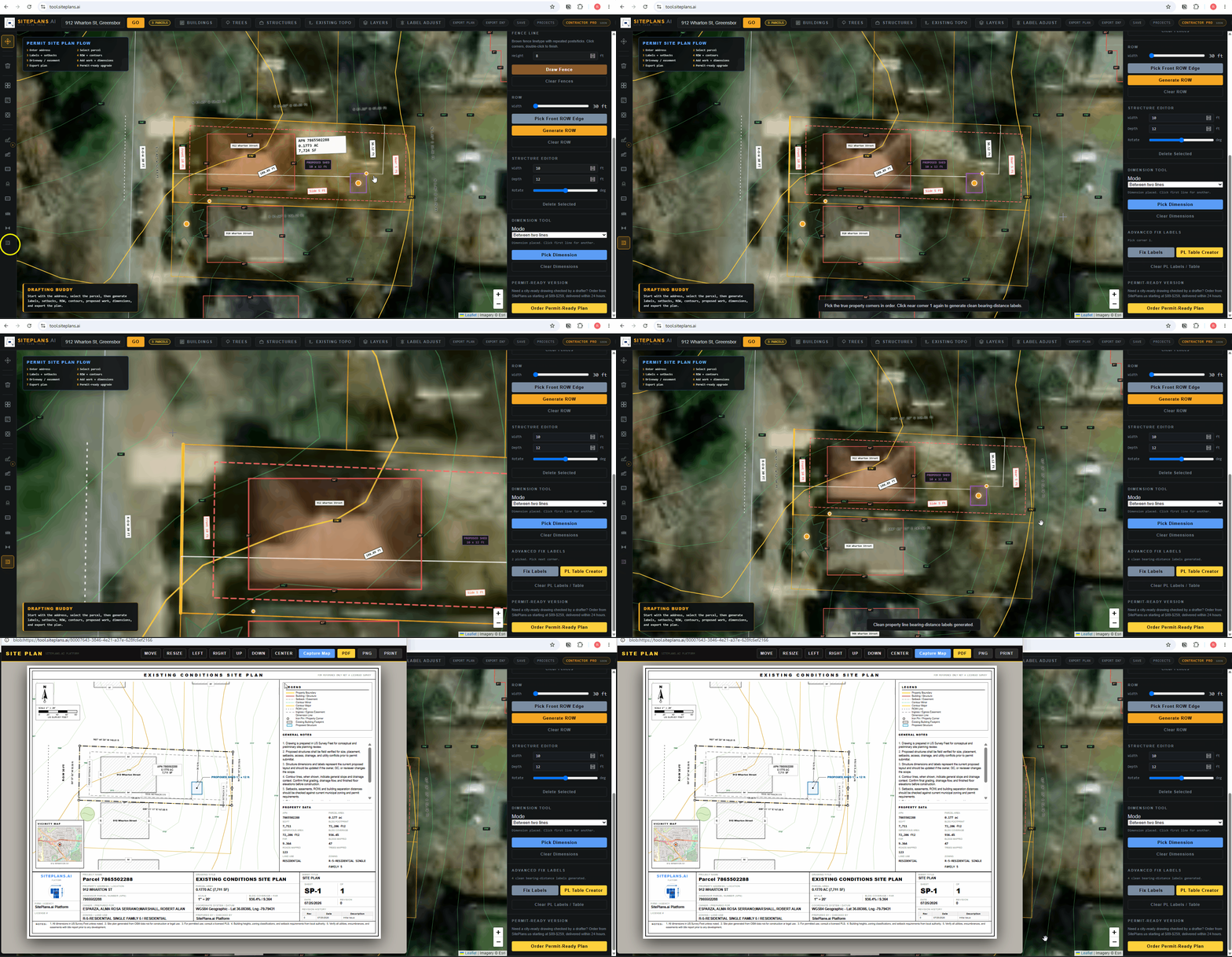
Go to the right panel and select Fix Labels. Click each property corner in order, starting from any corner and working around the outside of the lot, finishing back where you started. The extra labels along the same direction collapse into one.
Step-by-Step
1. Select Fix Labels. Find the grey button in the right-side panel.
2. Pick your starting corner. Any corner works — click it from the outside edge of the property, not the inside.
3. Work around the lot. A notification prompts you toward the next corner each time. Click each corner in sequence.
4. Finish at your starting corner. Once you're back where you began, the tool consolidates multiple close labels along the same line into a single clean one.
When to Use This
Specifically when one property line has multiple bearing/distance labels because the underlying parcel data has several points along a nearly-identical direction. This is common on older or irregularly surveyed lots. If your labels already look clean, you don't need this step.
The Difference Between This and the PL Table
Fix Labels reduces multiple labels on the same line into one. If your whole lot is complex — a corner lot, an irregular shape, many distinct property lines — you want the PL Table Creator instead, which turns every line into a simple reference (L1, L2, etc.) in a table on your title sheet.
Common Mistakes
Picking corners from the inside of the property instead of the outside edge — this can throw off the sequence.
Not finishing back at the starting corner — the tool needs the full loop closed to consolidate correctly.
FAQ
Does this change the actual bearing and distance data?
No — it only combines the display of labels along the same direction. The underlying property line data doesn't change.
What if my lot only has a few property lines total?
You likely don't need this tool — it's built for lots where labels are genuinely overlapping or crowding each other.
Can I undo this if I click the wrong corner?
Start the process again from the beginning by reselecting Fix Labels.
Related Tools
Start Here
Create My Site Plan — Need help? Get support from SitePlans.us →