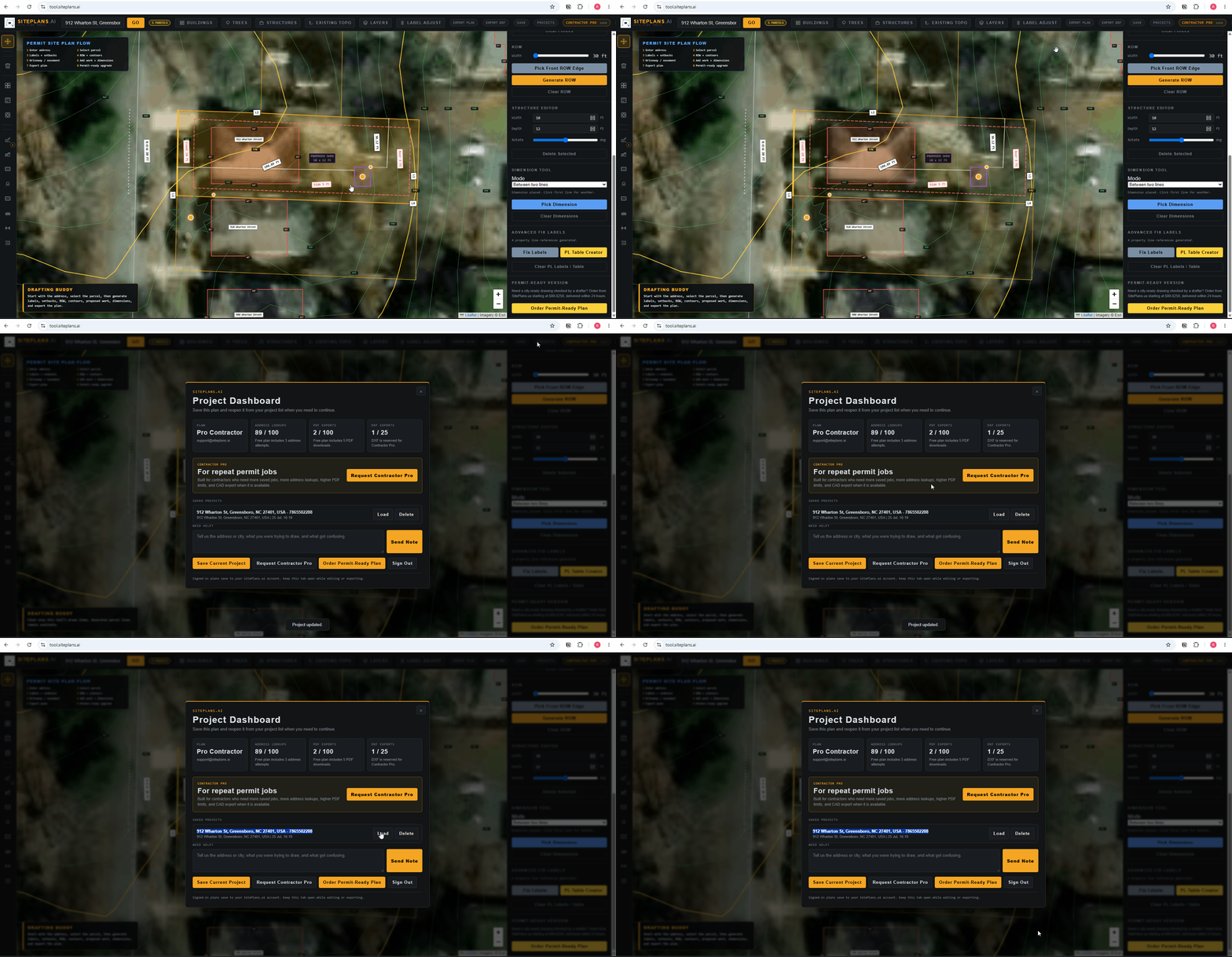
# How to Save and Load Your Project
Site plans take real time to build out. Saving your project means you can step away and come back without losing anything — but only if you've created an account first.
Quick Answer
Create a free account before you start working. Your project saves automatically as you build it, and you can reload it anytime from your dashboard.
Step-by-Step
1. Sign up for a free account before you start — this is the one step that has to happen first, or nothing you build will persist once you close the tab.
2. Enter your address and start building. Your project saves automatically as you work.
3. Step away anytime. Whether it's five minutes or a coffee break, your progress is preserved.
4. Reload from your dashboard. Log back in and pick your project up exactly where you left off.
When to Use This
Every project, honestly — even a "quick" fence plan can take longer than expected once you're checking setbacks and adjusting labels. Signing up first costs nothing and protects the time you've already invested.
Common Mistakes
Trying to use the tool without signing up first. This is the single most common way people lose their work — build for twenty minutes, close the tab, and have nothing saved.
Assuming autosave works without an account. It doesn't — an account is what enables saving in the first place.
FAQ
Do I need to manually save my work?
No — once you're signed in, your project saves automatically as you build.
Can I have more than one project saved?
Yes, within your plan's project limits — check your current tier's allowance.
What happens if I forget to sign up first?
Unfortunately, work done without an account isn't recoverable. Sign up before you start building to avoid this.
Related Tools
Start Here
Create My Site Plan — Need help? [Get support from our help desk →](support@siteplans.ai)